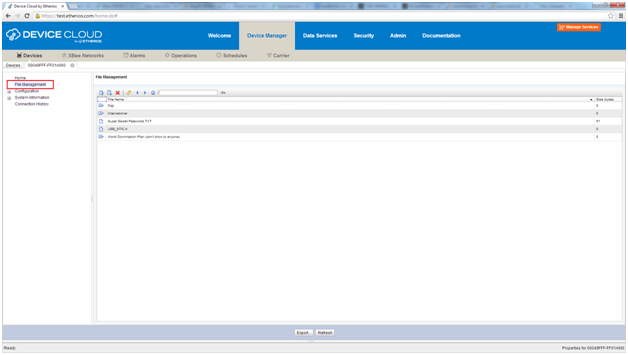
File system support is an optional feature that allows Device Cloud to remotely interact with a file system. This enables Device Cloud to read from and write to a file and list directory entries. In µC/OS, file system hooks are implemented using a µC/FS file system.
A 'File_system' example is ready to use for both the TWR-K60N512and TWRK53N512 towers. In this example the content of an SD Card inserted into the tower's SD Card socket is exposed to Cloud Connector.
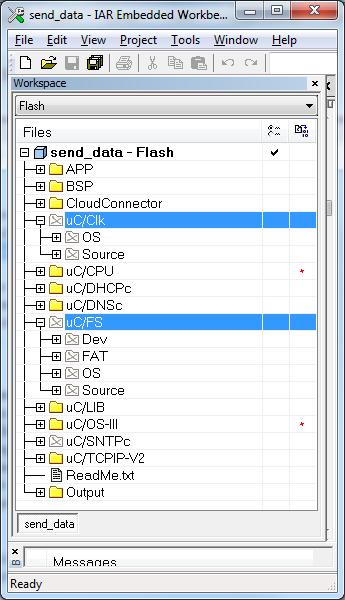
To enable this feature on other examples you must perform the following steps:
#define CONNECTOR_FILE_SYSTEM#define CONNECTOR_FILE_SYSTEM_MAX_PATH_LENGTH 256
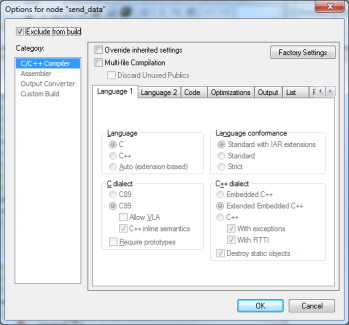
In this release, CONNECTOR_FILE_SYSTEM will automatically set APP_CFG_FS_EN (native define in µCOS to enable file system).
This release also provides a file system block device driver for the SD Card at:
C:\Program Files\Etherios\Cloud Connector\Kits\Kinetis\uCOS\Micrium\Software\EvalBoards\Freescale\TWR-K60N512\IAR\BSP\FS (same for TWR-K53N512)
Therefore the SD Card device is exposed as sdcard:0:\.
To test this feature, you will need an SD Card that was previously formatted.
Once formatted, follow these steps:

|
There is a known limitation on some hardware revisions of TWRK60N512, so it is recommended that you insert the SD Card with write protection enabled before launching the application. From TWR-K60N512-UM.pdf: On Rev D TWR-K60N512 boards, there is an erratum that sends a reset to the Ethernet PHY on the TWR-SER when inserting an SD Card. This will cause a loss of communication with the web server. To get around this erratum, you need to switch on Write Protect on the SD card, and insert it before the board boots up. Earlier boards do not have this issue. |