Firmware Update
The firmware update feature allows you to remotely update the application running in the device. It is up to you to define how the update itself is done, Cloud Connector only provides the hooks for achieving this.
As there are no flash drivers available in the µCOS BSPs for the the Kinetis towers, this service is implemented only as a stub example. Thisstub example shows the necessary hooks but only prints out data rather than writing it to a physical device.
You can locate the sub implementation here: C:\Program Files\Etherios\Cloud Connector\Kits\Kinetis\uCOS\Etherios\Software\CloudConnector\Source\platform\firmware_stub.c.
Building and configuring the Stub implementation
To test the stub example, it is only necessary to define the following macro in the connector_config.hfile:
#define CONNECTOR_FIRMWARE_SERVICE
The firmware_update example automatically defines the CONNECTOR_FIRMWARE_SERVICE macro in the connector_config.h file.
Then build the application and launch it.
Updating the Firmware through Device Cloud
To update your device's firmware directly within Device Cloud:
- Log in to your Device Cloud account.
- Locate your device in the Device list. Right-click on your device and select Firmware > Update Firmware….
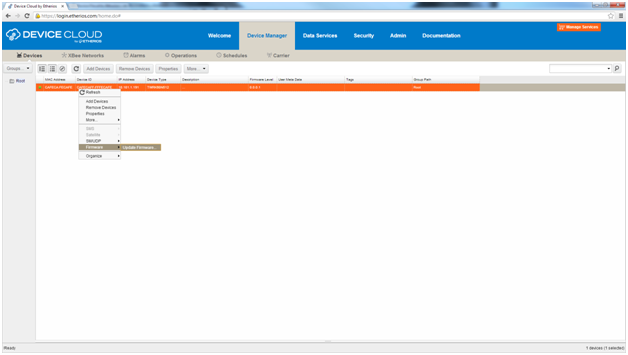
- In the popup dialog, click on Browse and locate an IAR Out file (.out). Since your application has stub support, any file with the .out extension will work (you can use the example found here:[C:\Program Files\Etherios\Cloud Connector\Kits\Kinetis\uCOS\Micrium\Software\EvalBoards\Freescale\TWR-K60N512\IAR\etherios_projects\firmware_update\Release\Exe\firmware_update.out).
- Click on Update Firmware and wait until the upload is complete. The target will reset automatically and boot the new application.
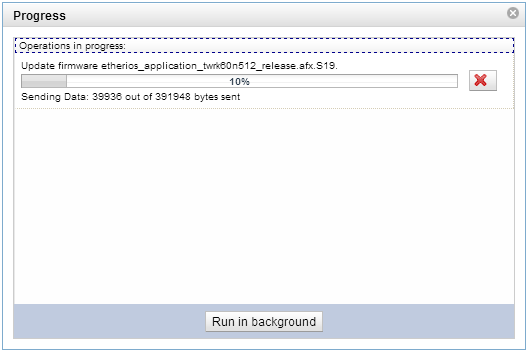
-
While the firmware update is taking place, watch the serial output to confirm that the update is working properly. You'll see chucks data containing new firmware being sent to the device:
edp_tcp_receive_process: receive data facility = 0x0070
target = 0
offset = 0x0000
data[0] = 0x007F
length = 1024 (total = 1024)
edp_tcp_receive_process: receive data facility = 0x0070
target = 0
offset = 0x0400
data[0] = 0x00F1
length = 1024 (total = 2048)
edp_tcp_receive_process: receive data facility = 0x0070
target = 0
offset = 0x0800
data[0] = 0x0000
length = 1024 (total = 3072)