Device Cloud by Etherios is a Machine Relationship Management (MRM) delivery platform; the next step in the machine-to-machine (M2M) technology revolution. It supplies the fundamental components for enterprise applications and remote machine assets (devices) to easily work together. Device Cloud is based on industry-standard protocols and open technology for customers and partners to extend specifically for their industry. Device Cloud solutions significantly reduce time to market and lower business costs.
Device Cloud is an on-demand service. There are no infrastructure requirements. Remote devices and enterprise business applications connect to Device Cloud via standards-based Web Services. The user is able to simply connect to Device Cloud and get to work.
The features provided by Device Cloud are made available by signing up for a free Device Cloud account. Device Cloud is a full production environment, designed and tested to provide a robust solution for large-scale device network deployments. Offering commercial-grade availability, on-demand scaling, active monitoring and a best-of-breed security policy, Device Cloud supports dynamic device networks with role-based access control and a host of management tools. When you create your free account, you have access to Device Manager with a limit of 5 devices, 30 SMS Messages per month (billing period), unlimited Web Services, and Data Streams (data stored for 30 days). When you are ready to expand your device network and add your 6th device, you will be prompted to upgrade your account.
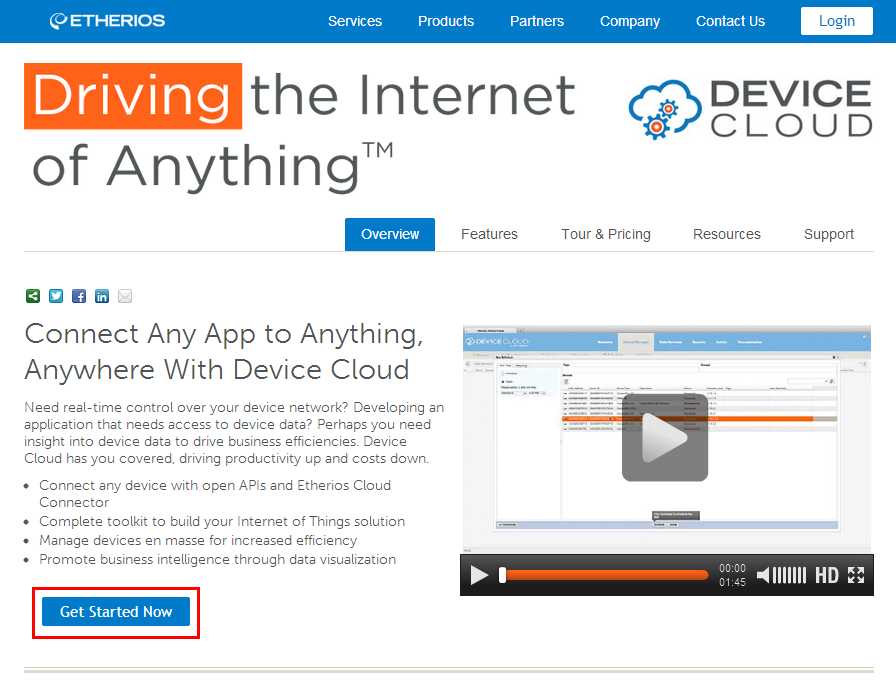
To create your free account on Device Cloud US, navigate to www.etherios.com/devicecloud and click the Get Started Now button (highlighted in the image below), then follow the steps for creating your account.
If you need help creating an account, follow the steps outlined in the Device Cloud Account Creation Guide.

|
If you already have an account, click the Login button at the top of the page. Select your device cloud and then enter your user credentials into the username and password fields. Once logged in, skip ahead to the Obtaining a Vendor ID section. |