1. Download the driver off our ftp site. It can be found at the following location: ftp://ftp.digi.com/support/drivers/winnt/old/4000821U.exe
2. Extract the file to a path on your hard disk. Remember the path.
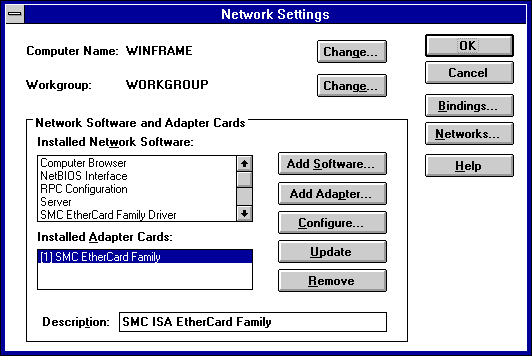
3. Select Main > Control Panel > Network. Select the Add Adapter button.
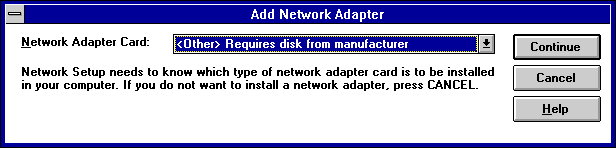
4. Select <Other> Requires disk from manufacturer from the drop-down box. Select Continue.
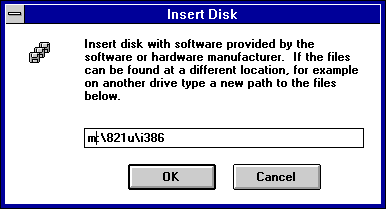
5. Type in the path where you extracted the driver file \i386. You can browse with file manager if you have forgotten the path. Select OK.
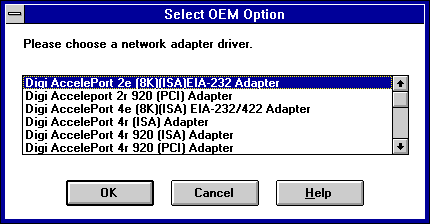
6. This is where you will select the Digi Asynchronous adapter you have purchased. If you are confused as to what adapter you have, it will be labeled on the box that it was shipped in, or on a sticker on the adapter itself. If you can't find it in either location, get the serial number off of the adapter and call Digi Customer service at 612-912-3456. Select OK after selecting the adapter.
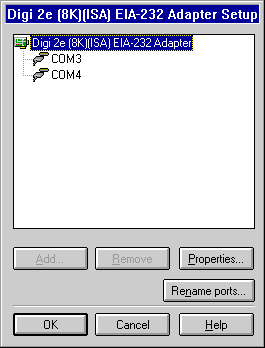
7. This is the adapter setup menu. Here you can rename ports, adjust adapter resource settings (ISA only), and adjust other port specific properties. For most installations, these can be left default. Select OK.
8. Unless you have another adapter to install, select OK.
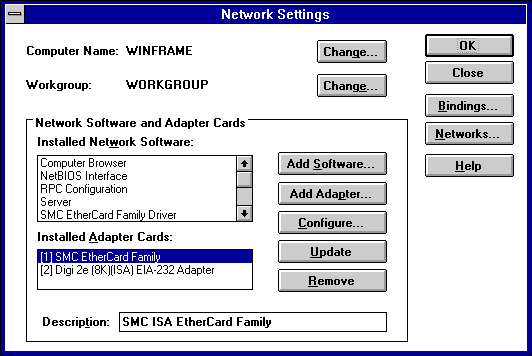
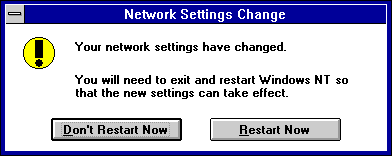
9. After everything rebinds, restart when asked.