Introduction:
NOTE: You can locate the MAC Address on the bar code sticker found on
the EtherLite product. However, if the label has come off or is no longer
legible, there are two ways to discover what the MAC Address is:
1. EtherLite BOOT Console- via dumb terminal connected to
the first port, and configured for 19200,N,8,1. Click here for
details on our
EtherLite
Boot Console.
2. The other
is via BOOTP- documented below.
Requirements:
1)
A windows based computer with a working network interface card. (9x, ME,
NT, 2000, XP, .Net)
2)
A local hub that is NOT connected to a DHCP, or BOOTP server.
3)
Digi’s Mini-BOOTP server. (BOOTPS.exe)
4)
The EtherLite with an unknown MAC address.
Procedure:
1. On the Windows computer, connected to the hub,
start the Mini-BOOTP Server (see Figure 1).
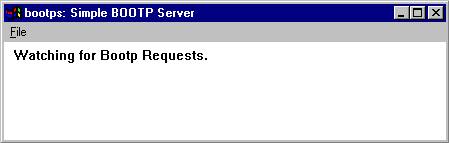
Figure 1
2. With the EtherLite powered off, connect the network cable of the EtherLite to the hub.
3. Power up the EtherLite.
4. Watch the BOOTPS window for the BOOTP request (see
Figure 2).
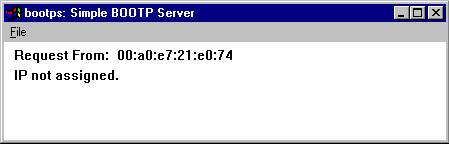
Figure 2
5. You will find the MAC Address of the EtherLite in
the Request From: field.
6. Record this number on the EtherLite for future reference.