Procedure:
Connecting a PortServer to a Frame Relay link requires several key pieces of
information, including LMI, DLCI, BcMax, BcMin, and CIR and the IP number of the
remote device. The example configuration below is for a link between two PortServer
Devices connecting two private LANs, for a Main Office and a Remote Office
location.
NOTE: [values] in brackets should be replaced with the correct data
and no brackets.
Cabling:
Portserver to CSU/DSU Cable Pin-out (10 wire cable necessary)
Digi International cable part number: 76000252
| RJ45 |
Signal |
|
DB25 |
Signal |
| 1 |
RxC |
|
17 |
RxC |
| 2 |
DSR |
|
6 |
DSR |
| 3 |
RTS |
|
4 |
RTS |
| 4 |
GND |
|
Shell |
GND |
| 5 |
TxD- |
|
2 |
TxD- |
| 6 |
RxD- |
|
3 |
RxD- |
| 7 |
SG |
|
7 |
SG |
| 8 |
CTS |
|
5 |
CTS |
| 9 |
DTR |
|
20 |
DTR |
| 10 |
TxC |
|
15 |
TxC |
NOTE: V.35 is not supported.
Configuring the Main Office PortServer II:
- Telnet into the PortServer II and login.
- Set up the physical line:
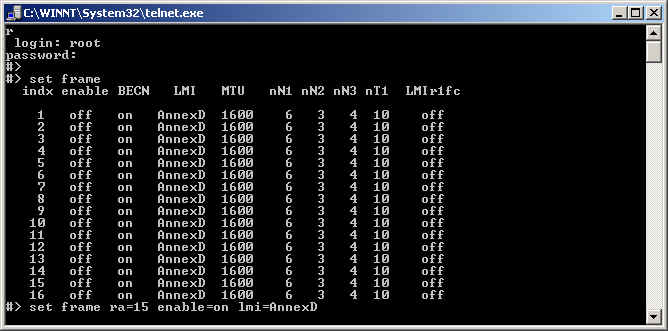
#> set frame
#> set frame ra=[main's port#] enable=on lmi=[appropriate]
   NOTE: main's port# is the port on the Main Office PortServer II
   NOTE: for a leased line, lmi should be none
- Set up the DLCI table: (For multiple DLCI, repeat this step as necessary).
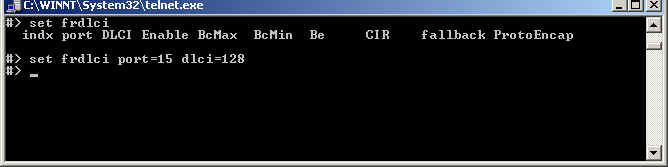
set frdlci
set frdlci port=[main's port#] dlci=[main's dlci for remote]
NOTE: for leased line use dlci=128 for both ends
 NOTE: Use these commands if necessary
set frdlci port=[main's port#] BcMax=[appropriate]
set frdlci port=[main's port#] BcMin=[appropriate] CIR=[appropriate]
NOTE: defaults are BcMax=56000 BcMin=28000 CIR=56000 which are correct for most DDS 56K lines
if they are correct they do not need to be re-entered
NOTE: Use these commands if necessary
set frdlci port=[main's port#] BcMax=[appropriate]
set frdlci port=[main's port#] BcMin=[appropriate] CIR=[appropriate]
NOTE: defaults are BcMax=56000 BcMin=28000 CIR=56000 which are correct for most DDS 56K lines
if they are correct they do not need to be re-entered
- Create a user for each DLCI to bind the IP Address to the DLCI.
There are two different ways to do this, successful implementation of Frame
Relay requires an accurate IP layout of your network. If you are not sure
which style to use, consult your network administrator.
Unnumbered link style
set user na=remote
set user na=remote netw
set user na=remote ipaddr=[remote's ip] ipmask=[appropriate] protocol=frame
set user na=remote frport=[main's port#] frdlci=[main's dlci for remote]
Numbered link style
set user na=remote
set user na=remote netw
set user na=remote ipaddr=[remote's ip] ipmask=[appropriate] protocol=frame
set user na=remote localipaddr=[main's ip]
set user na=remote frport=[main's port#] frdlci=[main's dlci for remote]

NOTE: remote's IP is the main IP number (if it is unnumbered) or the separate IP number
of its frame link (if it is numbered).
- Set up forwarding as appropriate for your network:
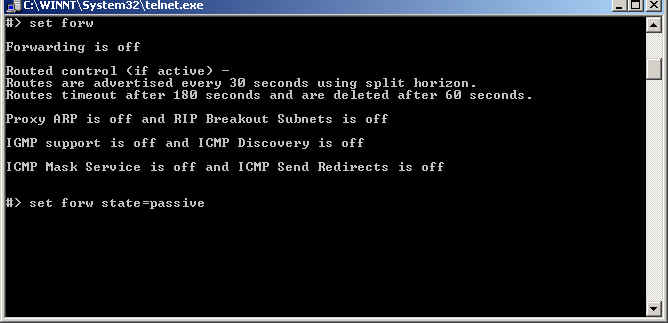
set forw
set forw state=passive
NOTE: state options: {off|passive|active}
- Bring up the link:
set user na=remote dialout=on netrouting=[appropriate]
		# netrouting options: {off|send|receive|both}
		# netrouting is whether the PortServer II listens
		# for or broadcasts routing info on the frame
Configuring the Remote Office PortServer II:
- Set up the physical line:
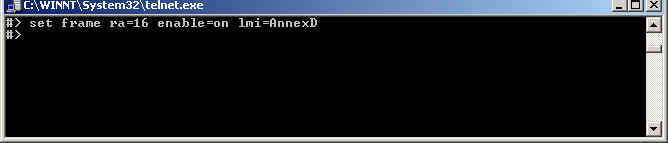
set frame
set frame ra=[remote's port#] enable=on lmi=[appropriate]
NOTE: remote's port# is the port on the Remote Office PortServer II
Note: for a leased line, lmi should be none
- Set up the DLCI table: (For multiple DLCI, repeat this step as
necesary).
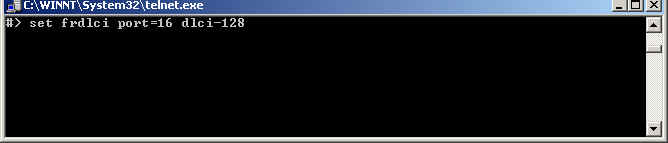
set frdlci
set frdlci port=[remote's port#] dlci=[remote's dlci for main]
NOTE: for leased line use dlci=128 for both ends
 NOTE: Use these commands if needed
set frdlci port=[remote's port#] BcMax=[appropriate]
set frdlci port=[remote's port#] BcMin=[appropriate] CIR=[appropriate]
# defaults are BcMax=56000 BcMin=28000 CIR=56000
# which are correct for most DDS 56K lines
# if they are correct they do not need to be re-entered
NOTE: Use these commands if needed
set frdlci port=[remote's port#] BcMax=[appropriate]
set frdlci port=[remote's port#] BcMin=[appropriate] CIR=[appropriate]
# defaults are BcMax=56000 BcMin=28000 CIR=56000
# which are correct for most DDS 56K lines
# if they are correct they do not need to be re-entered
- Create a user for each DLCI to bind IP to the DLCI.
There are two different ways to do this, successful implementation of Frame
Relay requires correct IP layout of your network. If you are not sure which
style to use, consult your network administrator.
Unnumbered link style
set user na=main
set user na=main netw
set user na=main ipaddr=[main's ip] ipmask=[appropriate] protocol=frame
set user na=main frport=[remote's port#] frdlci=[remote's dlci for main]
Numbered link style
set user na=main
set user na=main netw
set user na=main ipaddr=[main's ip] ipmask=[appropriate] protocol=frame
set user na=main localipaddr=[remote's ip]
set user na=main frport=[remote's port#] frdlci=[remote's dlci for main]
- Set up forwarding as appropriate for your network:
set forw
set forw state=passive
NOTE: state options: {off|passive|active}
- Bring up the link:
set user na=main dialout=on netrouting=[appropriate]
		# netrouting options: {off|send|receive|both}
		# netrouting is whether the PortServer II listens
		# for or broadcasts routing info on the frame
NOTE: For Tracing Samples see the below Link
There are two additional links below showing the frame setup for:
1. Main Office
2. Remote Office