Terminal Server Configuration Using Autoconnection
Introduction
This example shows a Digi device functioning as a terminal server implementing autoconnection.
-
The terminals are connected to autoconnect ports. Consequently, when a user presses a terminal key, an automatic connection to a host is made.
-
The modem ports are not configured for autoconnection, but a port user is, which means that as soon as this particular user supplies a login, an automatic connection to a host is made.
Illustration
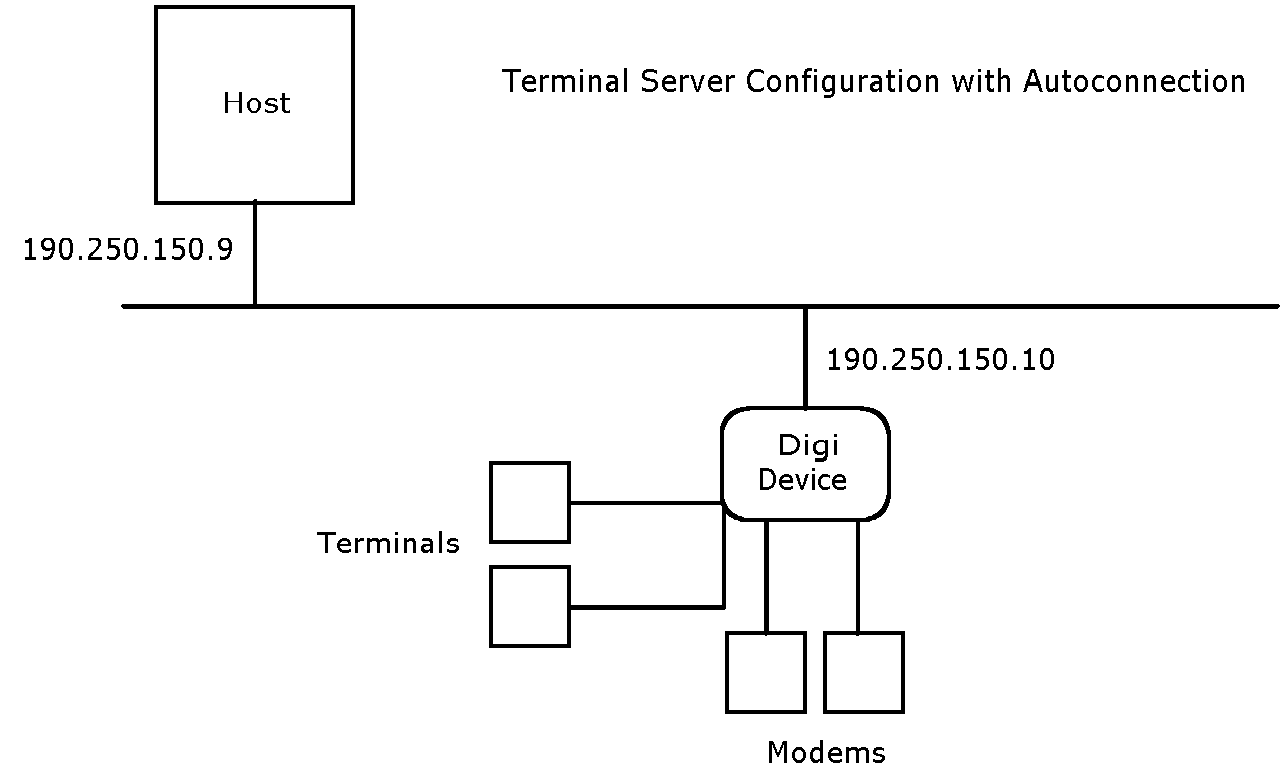
Configuration
set config ip=190.250.150.10

set ports range=2-3 dev=term auto=on


dest=190.250.150.9 dport=23


set line range=2-3 baud=9600


set flow range=2-3 ixon=on ixoff=on


set ports range=9-10 dev=min


set line range=9-10 baud=115200


set flow range=9-10 ixon=off ixoff=off
rts=on cts=on


set user name=user1 autoconnect=on defaultaccess=autoconnect autohost=190.250.150.9 autoport=23 password=off
Configuration Notes
-
The first set of set ports, set line and set flow commands configure ports 2 and 3 for terminals, autoconnection, telnet (dport=23), and software flow control.
-
The second set ports, set line, and set flow commands set up ports 9 and 10 for incoming modem connections and RTS/CTS flow control.
-
The set user command configures the user for automatic connection to the host specified on the autohost field using telnet (autoport=23).