![[Top]](../images/home.jpg)

![[Contents]](../images/contents.jpg)
![[Prev]](../images/previous.jpg)
![[Next]](../images/next.jpg)
![[Last]](../images/index.jpg)


Getting Acquainted with the MAX
What is the MAX?
The MAX is a WAN access router designed for central site remote access applications. It has the following main features:
The items in your MAX package
All MAX models ship with the same set of accessories. Expansion cards might be preinstalled or packaged separately, depending on how you ordered them. Checking the MAX base unit
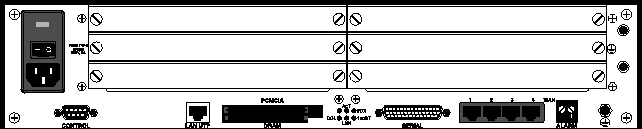
Open the shipping package and make sure you have received the base MAX unit that you ordered. Figure 1-1 shows the ac MAX base unit. Figure 1-2 shows the ac Redundant MAX base unit and Figure 1-3 shows the dc MAX base unit (with a dc power source).
Figure 1-2. Redundant MAX base unit
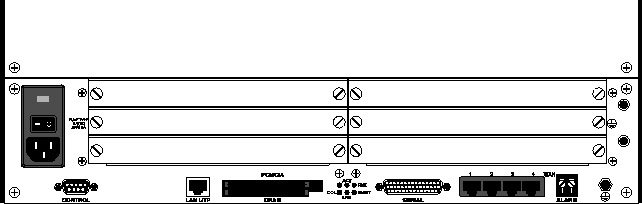
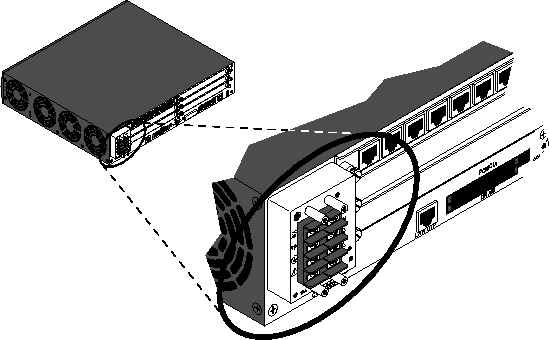
Figure 1-3. DC power source on the MAX 6000 and the Redundant MAX 6000
Checking other package contents
After you verify that you have received the correct base unit, make sure your package contains the following items:
Figure 1-4. Host/6 card
ISDN BRI network-interface and terminal-interface cards
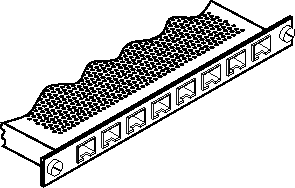
The ISDN BRI network-interface card and ISDN terminal-interface card each have eight ISDN BRI ports. (Figure 1-5.) You can install a maximum of four ISDN BRI network-interface cards in the MAX.
Figure 1-5. ISDN BRI network-interface or terminal-interface card
Multiband inverse-multiplexing card
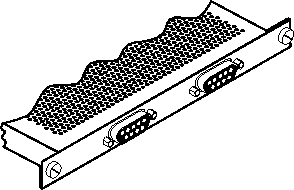
The Multiband inverse-multiplexing card (Figure 1-6) has two or six user-selectable RS-449, V.35, or X.21 serial host ports with inverse-multiplexing and RS-366 capability, V.25bis, or control-lead signaling.
Figure 1-6. Multiband inverse-multiplexing two-port card
Series56 digital modem card
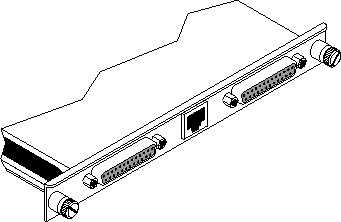
The Series56 digital modem card (Figure 1-7) supports eight, twelve, or sixteen digital modems per card. Digital modems support V.90, K56flex, V.34 and all lower modulations. You can install a maximum of 96 digital modems in the MAX.
Figure 1-7. Series56 Digital modem card
V.110 card
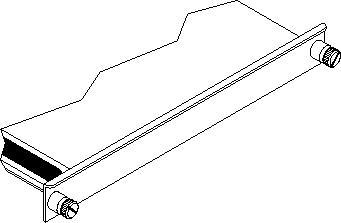
The V.110 card (Figure 1-8) supports up to eight V.110 WAN sessions. You can install a maximum of six V.110 cards in the MAX.
Figure 1-8. V.110 card
PIAFS-16 card
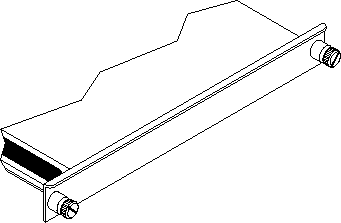
The PIAFS-16 card (Figure 1-9) provides up to 16 PIAFS WAN sessions. You can install a maximum of six PIAFS-16 cards in the MAX.
Figure 1-9. PIAFS card
IDSL card
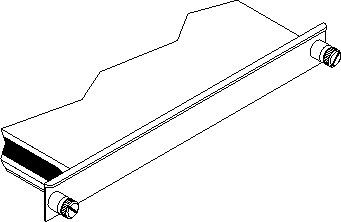
Ascend's ISDN Digital Subscriber Line (IDSL) card (Figure 1-10) appears as BRI/LT in the VT100 menu screen and supports incoming and outgoing voice calls. To support outgoing voice calls, the connected Terminal Equipment (TE) must use Q.931 en-bloc dialing to send all dialed digits to the MAX in one block (the ISDN Call Setup message), rather than send one digit at a time.
Figure 1-10. IDSL card
DRAM card
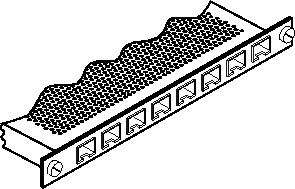
The DRAM card is a proprietary Ascend card (Figure 1-11). It is not hot-swappable and should not be removed while the MAX is running. The DRAM card attaches directly to the CPU bus, and damage might occur if you attempt to remove it.
Figure 1-11. DRAM card
PCMCIA flash card
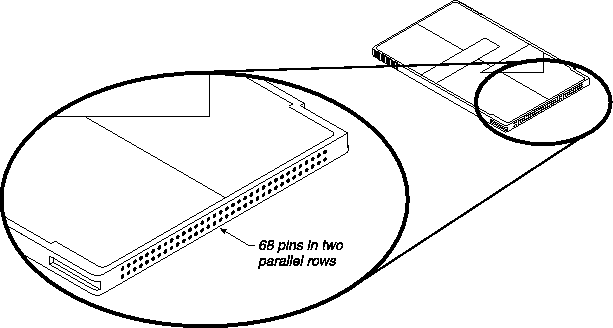
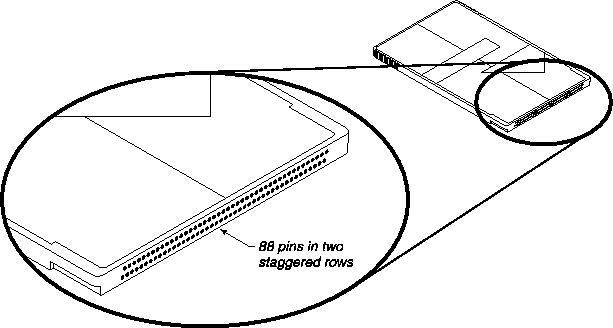
The PCMCIA flash card (Figure 1-12) is a standard card that extends existing flash memory.
Interfaces
The MAX has a number of interfaces on the base unit, and others are available on expansion cards. Interfaces on the base unit
Figure 1-1 on page 1-1 and Figure 1-2 on page 1-2 show the physical interfaces on the MAX base unit.
POWER
The MAX accepts ac or dc power, depending on the model you purchased. Figure 1-1 on page 1-1 and Figure 1-2 on page 1-2 show ac power sockets. Figure 1-3 on page 1-2 shows the dc power socket. (For further details, see Appendix B, MAX Technical Specifications. )
CONTROL
The control port connects to a VT100 terminal or a modem to provide the menu-driven user interface to the MAX. The interface runs at 9600 bps (configurable through the user interface), 8 bits per character, no parity, no flow control, 1 stop bit. (For details about cables that connect to this port, see User interface specifications.)
LAN UTP
The LAN UTP port connects the MAX to an unshielded twisted pair 10/100 Base-T (UTP) LAN. (For details about cables that connect to this port, see Ethernet interface specifications.)
PCMCIA
The PCMCIA interface accepts a plug-in PCMCIA card. (For an illustration, see Figure 1-12 on page 1-7.)
DRAM
The DRAM interface accepts a plug-in DRAM card. (For an illustration, see Figure 1-11 on page 1-6.)
SERIAL V.35 DTE port
The Serial V.35 DTE port provides a point-to-point connection between the MAX and another device. In the MAX manuals, this port is called the Serial WAN port. (For details about cables that connect to the serial V.35 DTE port, see Serial WAN cabling specifications.)
WAN (1 to 4)
The WAN ports are a group of either four T1 or four E1 ports providing point-to-point T1/E1 connections between the MAX and other devices. In the MAX manuals, these ports are called Net/T1 and Net/E1 ports. (For details about cables that connect to the WAN ports, see T1/PRI interface specifications and E1/PRI interface specifications.
ALARM
The Alarm interface is a two-connector terminal block that provides warning of alarm conditions. (For further information about the alarm relay, see Appendix B, MAX Technical Specifications. )
Interfaces on expansion cards
AIM/BONDING
The DCE interfaces in Figure 1-4 on page 1-3 and Figure 1-6 on page 1-4 provide AIM/BONDING inverse-multiplexing services to devices connected to them. (For details about cables that connect to these ports, see Serial host interface specifications.)
PALMTOP
The palmtop port connects to a hand-held palmtop control terminal, although it can also connect to a VT100 terminal. The palmtop port provides access to the menu-driven user interface of the MAX. It runs at 9600 bps (configurable through the user interface), 8 bits per character, no parity, no flow control, 1 stop bit. (For details about cables that connect to these ports, see Cables and Connectors.)
ISDN BRI
ISDN BRI ports (Figure 1-5 on page 1-3) are a group of either eight DTE or eight DCE ports providing point-to-point ISDN BRI connections between the MAX and other devices. Int he MAX manuals, these ports are called the Net/BRI and Host/BRI ports for the DTE and DCE interfaces, respectively. From the point of view of the MAX, pins 3 and 6 transmit on the Net/BRI interface and receive on the Host/BRI interface. Pins 4 and 5 receive on the Net/BRI interface and transmit on the Host/BRI interface. (For details about cables that connect to these ports, see ISDN BRI interface specifications.)
IDSL
The IDSL ports (Figure 1-10 on page 1-6) are a group of eight DCE ports providing point-to-point IDSL connections between the MAX and other devices. An IDSL port has the same pinouts as a Host/BRI port. (For further information, see IDSL specifications.)
Copyright © 1998, Ascend Communications, Inc. All rights reserved.